The client mix-up
The right content ends up in the wrong client workflow.

For social media managers, VAs & small agencies
Manage Pages, content, branding, queues and schedules from one Windows workspace — so your operation stays organized as it grows.
Less tab switching. Fewer mix-ups. More visibility.
No email required · Real screenshots included
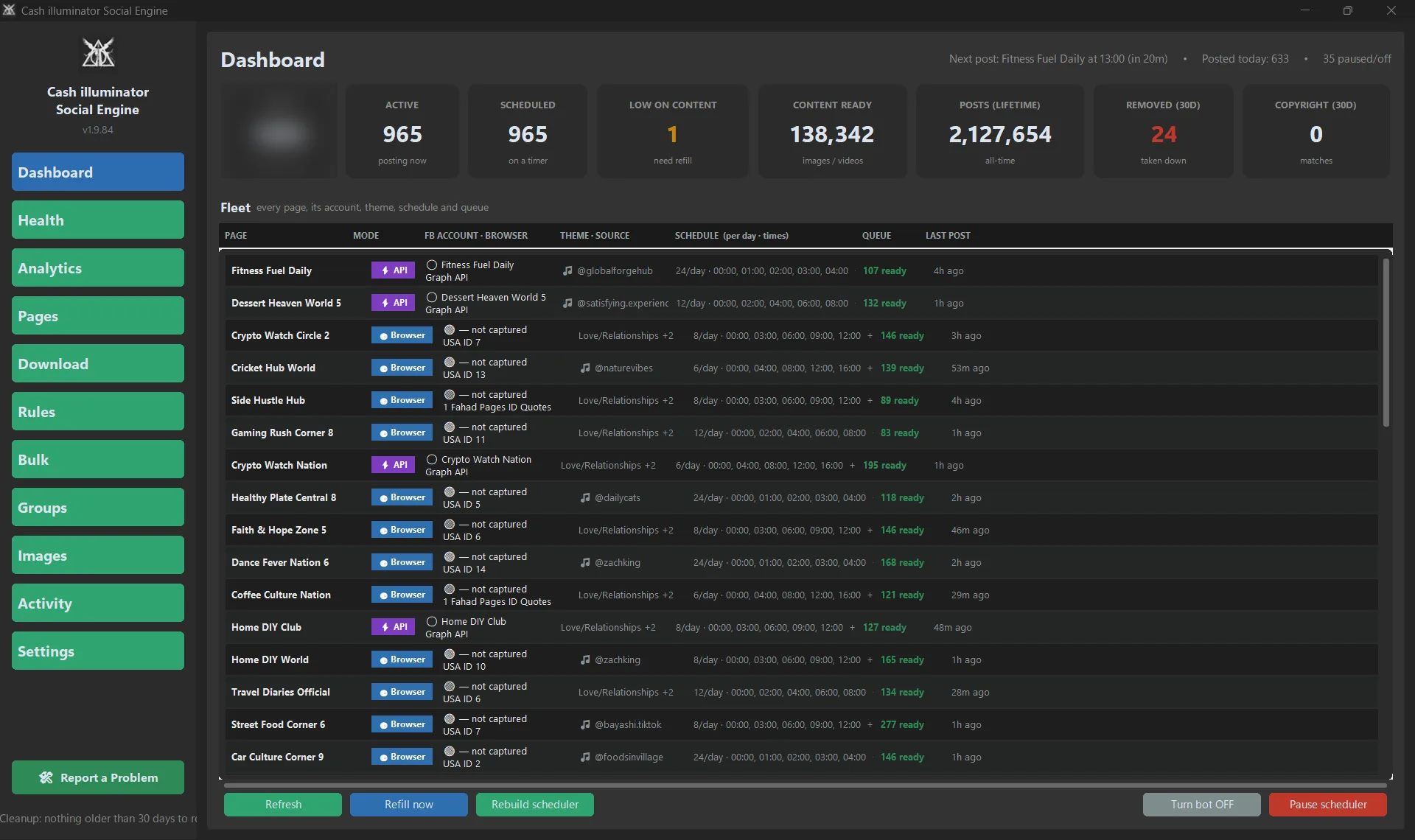
Real Dashboard · Demo data shown
The problem
The right content ends up in the wrong client workflow.
The queue runs dry, and nobody notices until posting stops.
The same creative gets rebuilt or reused because nobody can see what is already ready.
One Page stops moving while the rest of the operation looks fine.
You find out days later.
Before
With SocialWorkbench
Scheduling is only the last step. The real operational work happens before it.
Positioning
A scheduler answers, “When should this post go live?” SocialWorkbench helps manage everything around that moment — Pages, content, branding, queues, schedules and what needs attention.
It complements native platform tools rather than replacing every platform feature.
Native scheduling
Schedule finished posts
SocialWorkbench
Run the workflow around publishing
Native scheduling
Work Page by Page
SocialWorkbench
Keep mapped Pages and client workflows in one view
Native scheduling
Add or upload content as needed
SocialWorkbench
Keep Page-specific sources and content stock organized
Native scheduling
Usually handled elsewhere
SocialWorkbench
Create and manage Page-branded visual workflows
Native scheduling
See individual Page schedules
SocialWorkbench
See ready stock and low-stock status across Pages
Native scheduling
Check Pages individually
SocialWorkbench
Use Health and Activity to see what needs attention
Instead of managing posts one at a time, manage the system that keeps your Pages supplied.
Who it’s for
Stop keeping every client workflow in your head.
Keep Pages, captions and schedules clearly separated.
Keep every client separate without losing the big picture.
See which Page needs content, attention or a schedule change.
See what’s ready, what’s running and what’s running low.
Manage Page-level schedules and workflow status from one place.
Don’t let finished copy die in a document.
Keep captions organized and tied to the right Page.
Turn recurring social graphics into a repeatable workflow.
Build themes, branded visuals and reusable content batches by Page.
Keep your Page network supplied without rebuilding the process every day.
Run multiple Pages from one Windows workspace.
Operating loop
One post is easy. A repeatable workflow is how you manage many Pages.
Explore each step in the real SocialWorkbench workspace.
01 · Create
Generate recurring visual batches using themes, tones and templates in the Images workspace.
Repeatable visual production without rebuilding the same setup.
Click to enlarge
Agency & client separation
The right content. The right Page. The right client.
Keep browser profiles, Pages, sources, captions, branding and schedules mapped to the workflows they belong to.
Illustrative client-workflow mapping
Separation helps reduce workflow mix-ups. It does not guarantee anonymity, account safety, platform approval or reach.
Source to scheduled
Source: Add an approved source to the correct Page workflow.
Review when needed. Verify published posts on the platform.
A source link is not a license. Publish only content you own or are authorised to use.
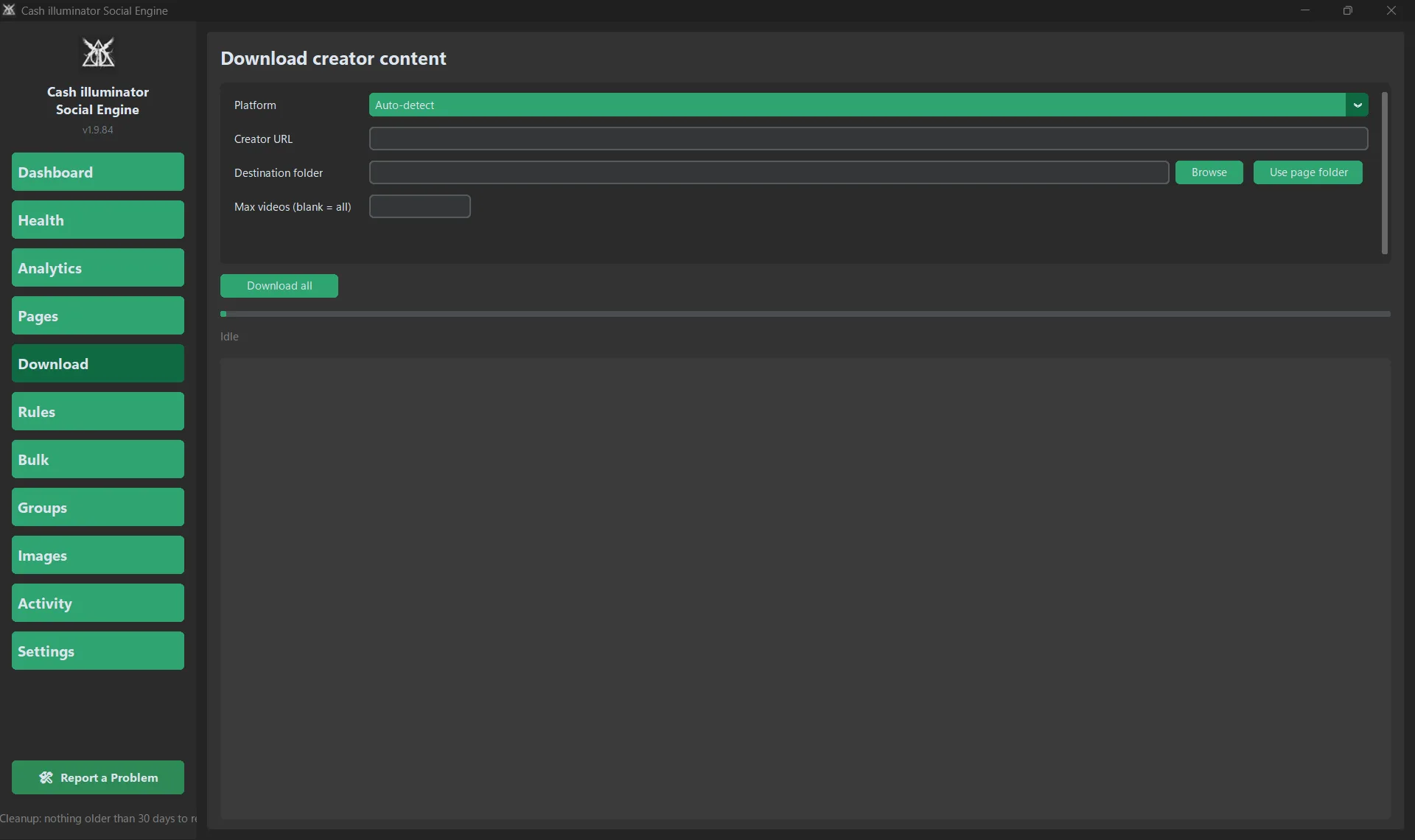
No content yet?
Reference: Add a Facebook Page, reference URL, screenshot or relevant post for inspiration.
Schedule using each Page's own posting plan.
Learn the direction. Create your own content.
Reference material is for inspiration and theme learning, not copying or republishing someone else's work.
Images workspace
Create
Quote-style visuals, themes, templates and backgrounds.
Brand
Page-specific wordmarks, accent colors and visual settings.
Review
Approve, edit or reject generated visuals.
Stock
Prepare recurring visual batches for Page-specific content queues.
Earlier application build shown. Current product branding: SocialWorkbench.
Build the theme once. Create new variations when you need them.
Designed to support recurring social production — not replace Photoshop or Canva.
Optional AI-assisted backgrounds are available using your own configured provider key. Third-party usage costs are separate.
Scheduling & content stock
Keep Pages supplied
Page-specific queues, stock levels and refill controls.
Set each Page's routine
Posts per day, exact times and Page ON/OFF.
Stay in control
Posting plans, pacing settings and dry-run options where available.
Stock the queue today. Give tomorrow a plan.
Scheduling controls organize the workflow; verify published posts on the destination platform.
Visibility
A Page stopped posting three days ago. Nobody noticed.
Track Page status, review recorded actions and spot workflow issues from one Windows workspace.
See Page status, queue readiness and upcoming posting information together.
One place to understand your Page operation.
Earlier application build shown. Current product branding: SocialWorkbench.Click to enlarge
App counters reflect what SocialWorkbench recorded. They are not proof of live publication. Verify published posts on Facebook or Instagram. Screenshots contain demo data.
Honest boundaries
No promise of traffic, reach, followers or sales.
No CAPTCHA bypass, no platform-check evasion, no approval guarantee.
Runs on your Windows 10/11 PC. No phone or emulator in the documented workflow.
Always confirm live posts on Facebook or Instagram—the platform is the source of truth.
Free manual
See the real software before you spend anything.
33 pages of real screenshots, setup instructions, content workflows, troubleshooting and honest limitations. Explore how SocialWorkbench works before deciding if it's right for you.
Pricing
$30/month
Monthly flexibility. Same full workspace.
Checkout coming soon
$270/year
Save $90 (25%)
Equivalent to $22.50/month · billed $270 per year
Checkout coming soon
Both plans include
10-Day Refund Policy · 1-PC License · Same Features on Both Plans
Refund requests may be submitted within 10 calendar days of purchase, subject to the full Refund Policy and applicable law.
Secure checkout will be provided through Lemon Squeezy once payments are enabled.
Optional third-party AI/provider usage costs are separate.
How to get started
01 — Choose your plan
Select Monthly or Yearly.
02 — Complete secure checkout
Payment processing will take place through Lemon Squeezy after activation.
03 — Receive software access
Receive the Windows installer and license through the confirmed fulfillment process.
FAQ
Want to see the actual workflow?
Stop running every Page like a separate job.
Create · Organize · Brand · Queue · Schedule · Manage